
You can delete a job when it was created in error, is a duplicate, or is no longer part of your job architecture.
Solution overview
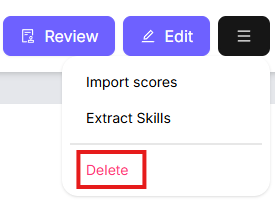
To delete a job, open the job profile, click the Menu icon (the three lines) in the top right, then select Delete.
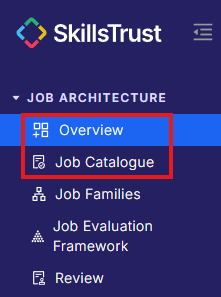
- Select either Overview or Job Catalogue under the Job Architecture section from the left-hand menu.
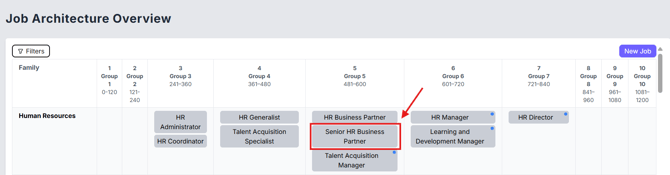
- Click on the job to open its job profile.
- Click the Menu icon (the three lines) in the top right, next to the Review and Edit buttons.

- Click Delete.
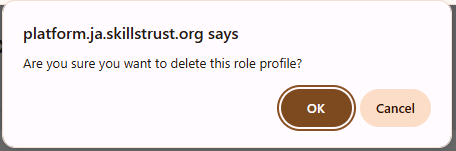
- Confirm the deletion in the pop-up window by clicking OK. The job is removed from your job architecture.
Note: deleting a job cannot be undone. If you only want to take a job out of active review, consider changing its status to Draft instead of deleting it. Refer to How to change the status of a job guidelines.
Still need help?
If this article did not answer your question, email our support team at support@skillstrust.org and we will be happy to help.
Our support hours are Monday to Friday, 9am to 5:30pm GMT, excluding public holidays in the Republic of Ireland.