
You can export a set of job profiles to a spreadsheet, for example when you want to review evaluation scores offline, share them with reviewers, or make edits to re-upload to the system later.
Solution overview
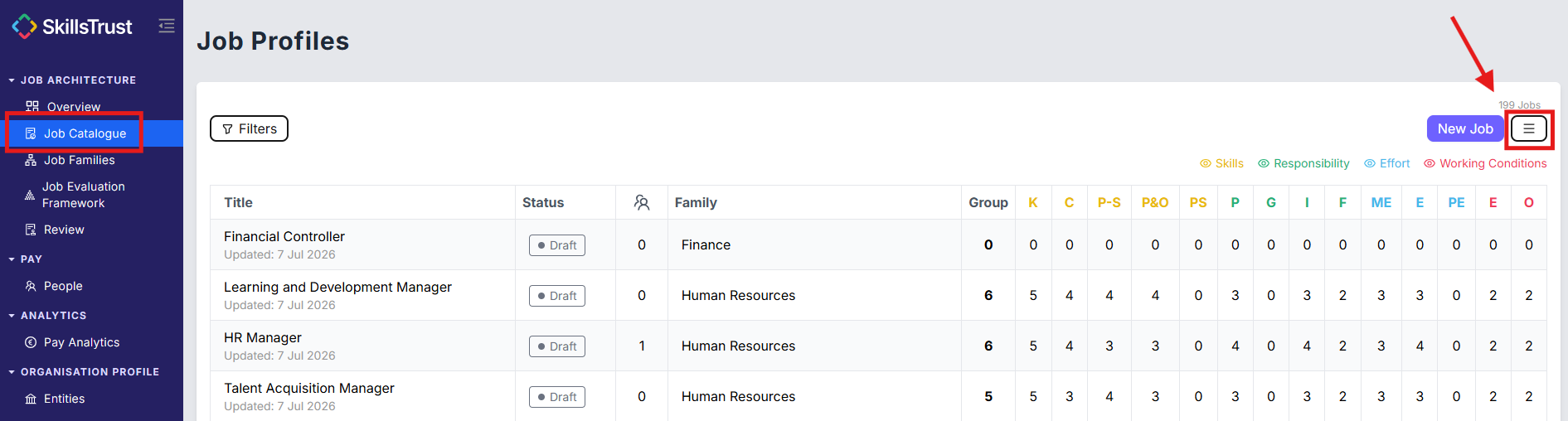
To export a set of job profiles, navigate to the Job Catalogue tab and select Export from the menu icon in the top right of the page.
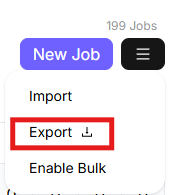
- On the Job Profiles page, find the menu icon (the 3 lines) in the top right, next to the New Job button. Click it to open the options: Import, Export and Enable Bulk.

- Select Export to download the catalogue as a .csv file.
- Open the file in Microsoft Excel or Google Sheets.
Still need help?
If this article did not answer your question, email our support team at support@skillstrust.org and we will be happy to help.
Our support hours are Monday to Friday, 9am to 5:30pm GMT, excluding public holidays in the Republic of Ireland.