
You can import the job evaluation scores from another job, for example when a new job is similar to one you have already evaluated and you want a consistent starting point.
Solution overview
To import scores, open the job profile, click the menu icon (the three lines) in the top right, select Import scores, choose the source job, review the comparison, then save.
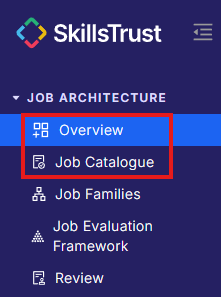
- Select either Overview or Job Catalogue under the Job Architecture section from the left-hand menu.
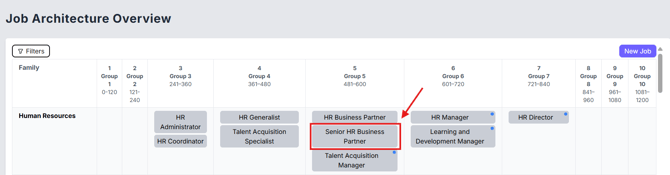
- Click on the job to open its job profile.
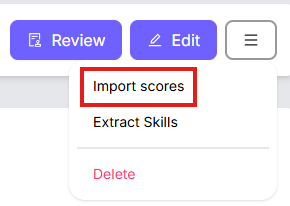
- Click the Menu icon (the three lines) in the top right, next to the Review and Edit buttons, then select Import scores.

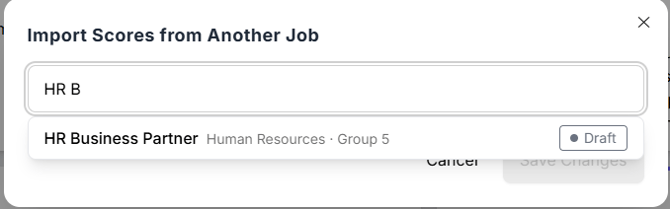
- In the Import Scores from Another Job dialog, use the search box to find the job you want to copy scores from. Each result shows its job family, group and status.
- Select the source job. A score comparison table appears, showing each subfactor with:
- Current: the score on this job now.
- Source: the score on the job you are copying from.
- Change: the difference that will be applied, for example +5 or = for no change.
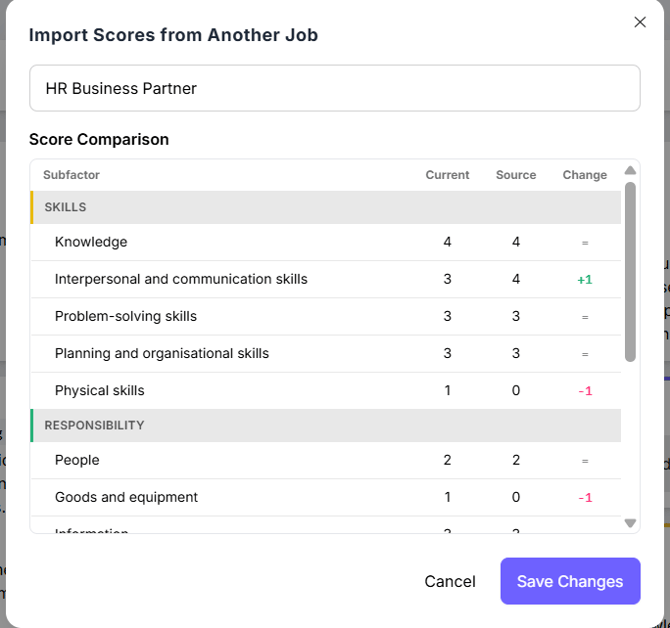
- Review the comparison, then click Save Changes to apply the source scores to this job. To exit without importing, click Cancel.
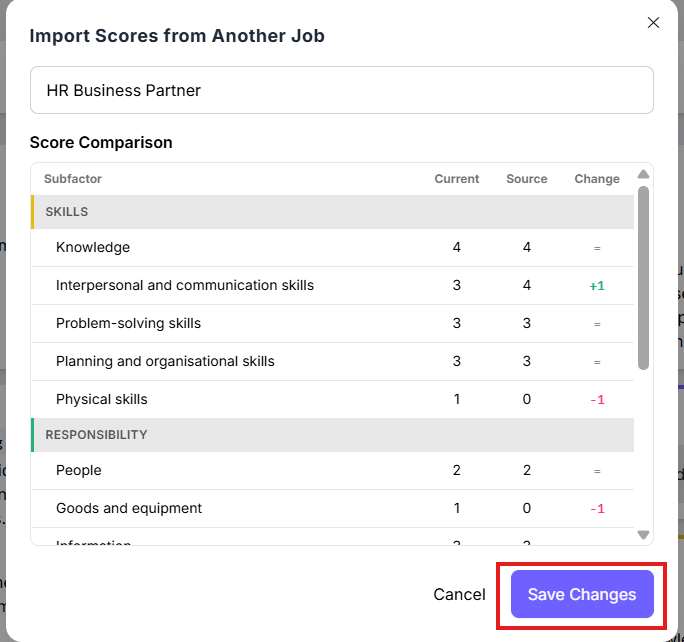
Note: importing scores overwrites the current scores for this job. You can still edit any subfactor afterwards, and the change is recorded in the Activity tab.
Still need help?
If this article did not answer your question, email our support team at support@skillstrust.org and we will be happy to help.
Our support hours are Monday to Friday, 9am to 5:30pm GMT, excluding public holidays in the Republic of Ireland.