
You can check the activity log to see a full record of every change made to a job, including who changed a status, family or score, and when.
Solution overview
To view the activity log, open a job profile and click the Activity tab at the top of the page.
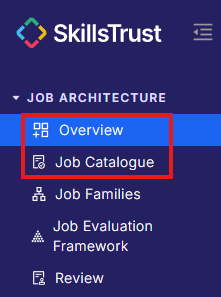
- Select either Overview or Job Catalogue under the Job Architecture section from the left-hand menu.
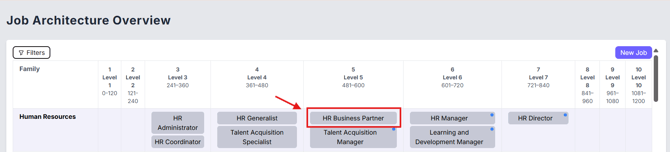
- Click on the job to open its job profile.
- Click the Activity tab, next to Profile and Reviews at the top of the page.

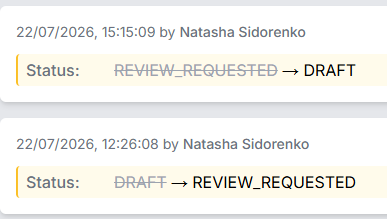
- Review the log. Each entry shows:
- The date and time of the change.
- The person who made it.
- What changed, with the previous value struck through and the new value shown
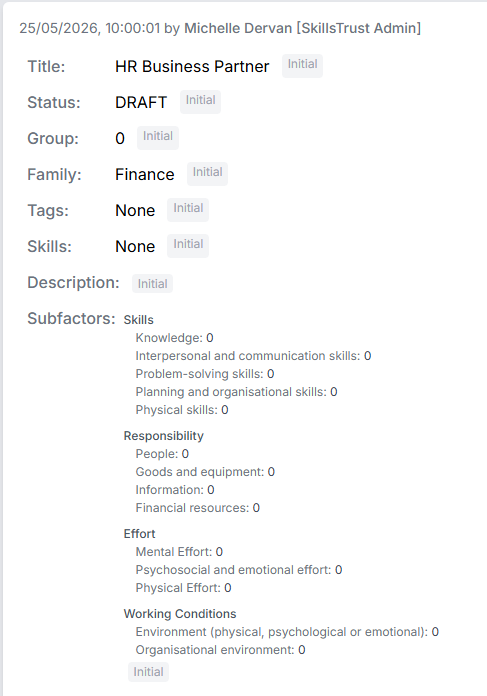
- The oldest entry, marked Initial, shows the job's original values when it was first created, including title, status, group, family, tags, skills and subfactor scores.
Still need help?
If this article did not answer your question, email our support team at support@skillstrust.org and we will be happy to help.
Our support hours are Monday to Friday, 9am to 5:30pm GMT, excluding public holidays in the Republic of Ireland.