
Validate your jobs to confirm that each job's scoring, assigned job family and job profile are correct.
Solution overview
To validate jobs, go to the Review tab, open each job to agree or disagree with the scoring and job profile, and leave a comment to explain the decision. Then, edit the job and set its status to Validated.
Step 1: Start the review
- Select the Review tab under the Job Architecture section from the left-hand menu.

- Use the Filters to narrow down the jobs you are reviewing.
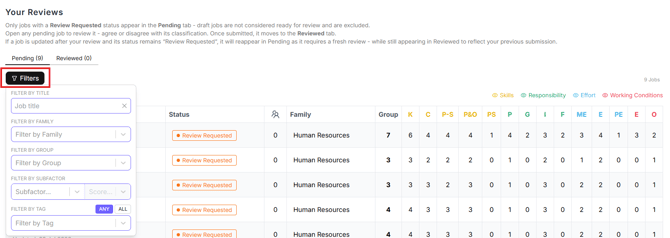
Note: only jobs with the status Review Requested will appear in the Review tab queue. To change the status of several jobs at once, see How to change the status of a list of jobs.
Step 2: Review each job
- Click any job in the list to open it.
- Use the navigation arrows at the top of the page to move between jobs.

- Click Review in the top right corner. A Please Provide Review panel opens.


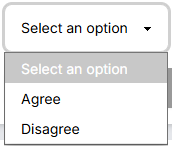
- Open the Select an option drop-down and choose:
- Agree: you agree with the job evaluation.
- Disagree: you do not agree with the job evaluation.
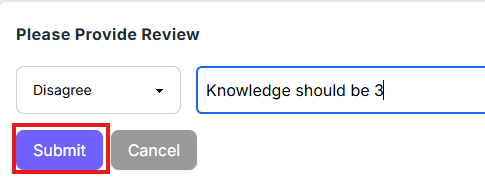
- Add a comment in the Add a comment field to explain your feedback, then click Submit.
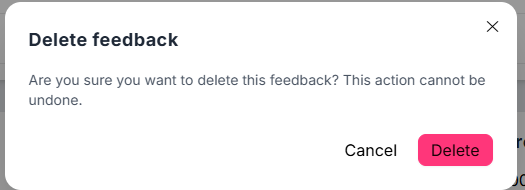
- To delete your review, click the Bin icon on the right of the Your Review panel, then click Delete in the pop-up window. You can only delete your own reviews.

Note: all reviews appear on the Reviews tab of the job profile. Only your own review is shown on the Profile tab.
Step 3: Edit and validate
-
Click Edit in the top right corner to change the job directly.

- While in edit mode, you can update Tags, Job Family, Job Title, Job Profile, and the scores for all job evaluation subfactors.
- Once you are satisfied with the job, change the Status to Validated.
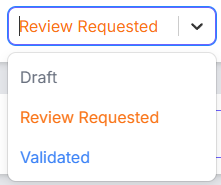
- Click Save in the top right to save the changes and leave the edit mode.

Still need help?
If this article did not answer your question, email our support team at support@skillstrust.org and we will be happy to help.
Our support hours are Monday to Friday, 9am to 5:30pm GMT, excluding public holidays in the Republic of Ireland.